The Egatari 1.0 specification is a working draft.Read the spec

Egatari (picture-telling)

One file for everyone with something to tell.

Egatari is a format that bundles slides, script, audio and a book into a single HTML file. It plays in any browser, and generative AI can write and edit it.

Intro video (30 seconds, with sound)

Introducing Egatari.ega.html

For educators

A lesson format with a script and audio

Steps appear in order, with the script spoken aloud and shown as captions. You can also add it to an LMS (SCORM). Learners who open it in Egatari Viewer can read it as a book, highlight passages, and hide them to test their recall. Highlights are stored only on the learner’s device.
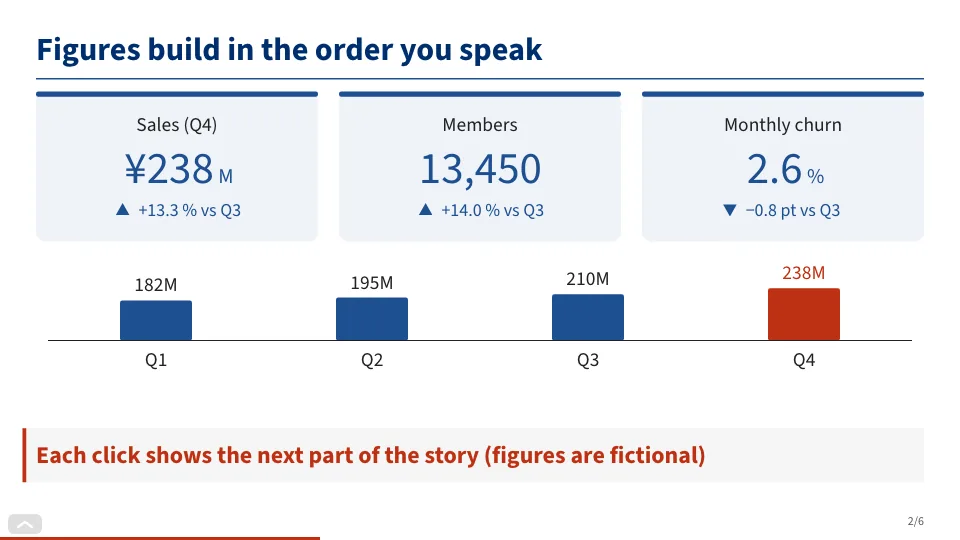
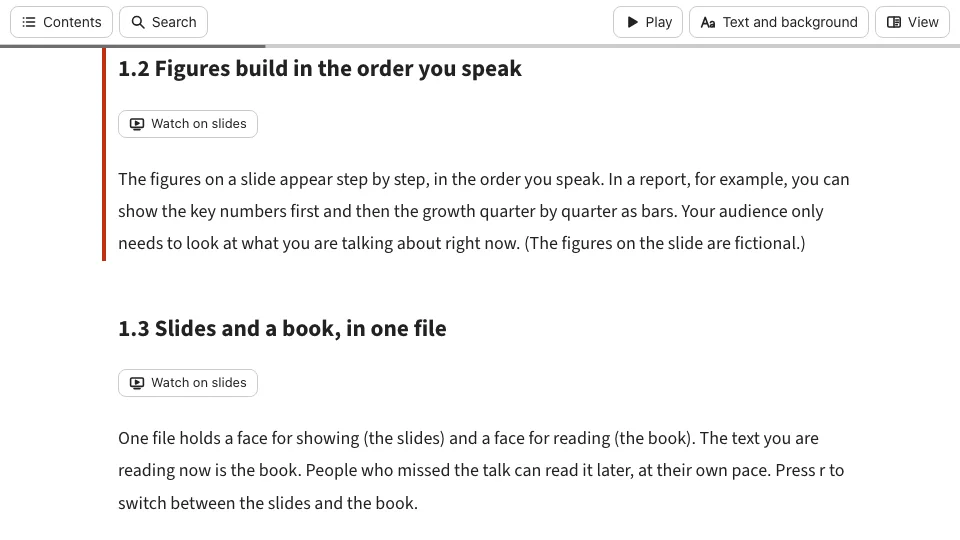
The slide “Figures build in the order you speak” from the sample “Introducing Egatari”: figures for sales, members and monthly churn, and a bar chart of sales by quarter. The same passage shown as a book: the heading “1.2 Figures build in the order you speak” and its text.
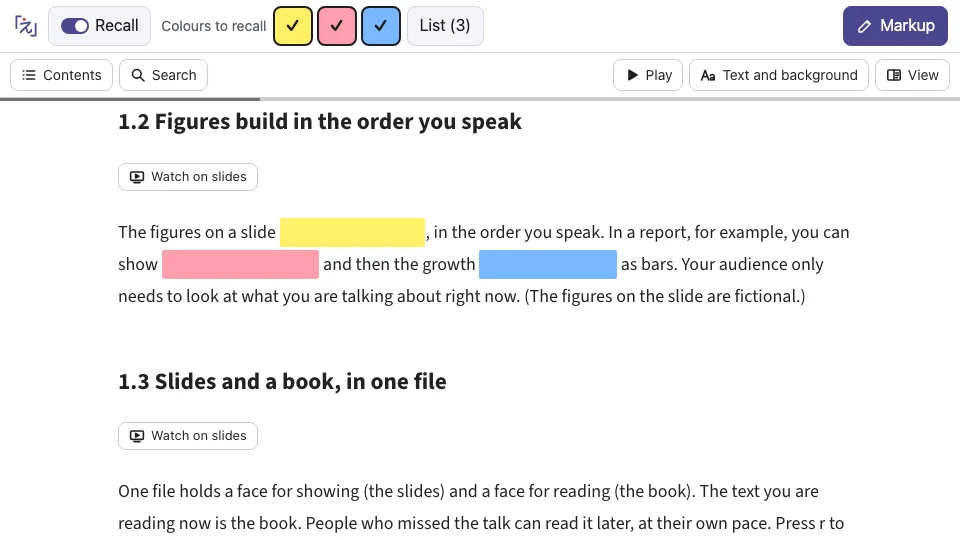
The same book open in Egatari Viewer with Recall on: three highlighted phrases are hidden under blocks of yellow, pink and blue. Egatari Viewer

For creators

HTML with presentation features

Use everything HTML can express. Figures move step by step, and you can export the result as a video. You can link between places in the file, and it can also be read as a book.

For engineers

A compiler for slides

The quality check inspects the source, and the build turns it into one file with the player inside. Parts are pinned by version and hash.

Write it with generative AI, fix it with the quality check

Tell an AI chatbot (ChatGPT, Gemini, Claude and others) your topic, and it writes the source of an Egatari file. The quality check looks for text that overflows, text that is too small, color contrast and the alt text of images, and writes the fix request for the AI.

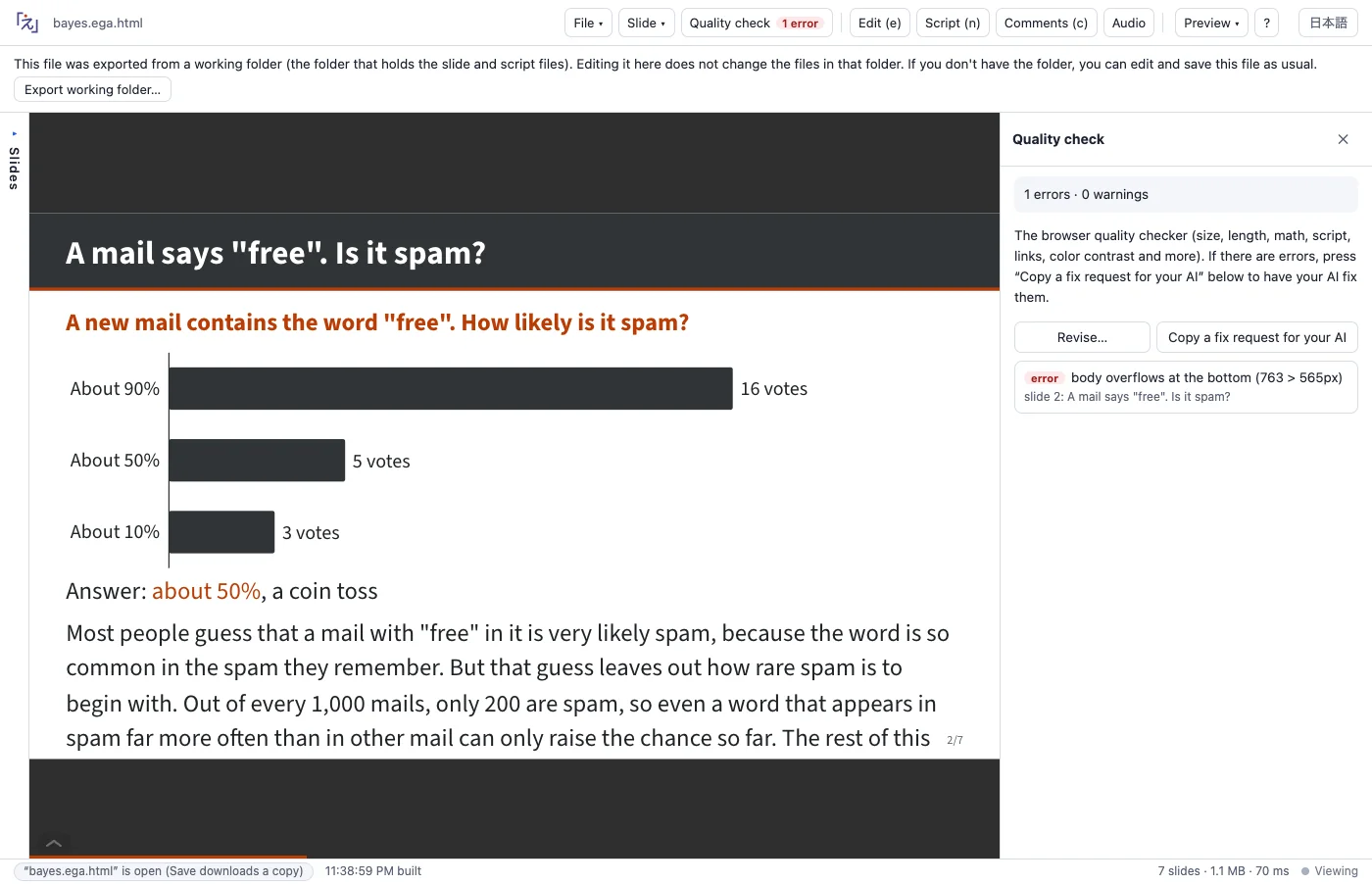
The editor after a quality check. On the left, the slide “A mail says "free". Is it spam?” with a long added paragraph that runs off the bottom of the slide. On the right, the Quality check panel shows one error, “body overflows at the bottom (763 > 565px)”, and the button “Copy a fix request for your AI”.
Quality check: one slide of the sample "Bayes' theorem", with a long paragraph added to try it

More parts, more ways to express

New figures and animations are added to the parts library as parts. What one person made with generative AI, the next person can use as it is. Egatari’s first parts, too, came from the slides of a research talk.

55parts (parts library 2.15.0)

An open format

Egatari is a file format that is not tied to any one app. Anyone can read the specification (CC BY 4.0), and Egatari files can be made with any tool.

How to use it

  1. The editor (nothing to install)

    Open studio.egatari.org in Chrome or Edge and make your file right there.

  2. Generative AI

    Add the Egatari skills to an AI chatbot or to an AI agent (Claude Code, Codex), and it can make Egatari files.

  3. Command line

    npx egatari new mytalk --lang en
    npx egatari dev mytalk/deck.html

Learners use Egatari Viewer

Open an Egatari file at viewer.egatari.org. Add it to the home screen and it opens without a network connection. Highlights and recently opened files are stored only on the learner’s device.